Processing Log

Every pound accounted for, from the field to a sealed tote.

Software for a working trim floor — QR totes, a weigh station the crew will actually use, and the labour numbers behind every pound.

Built on a processing floor that runs several facilities, for the way the work really happens: trays on a scale, boxes on a pallet, and a supervisor who would rather write it on paper.

Tray by trayCredited to the person
A & BGraded end to end
lb / hourBy person, lot or client
Multi-siteEach one kept apart
On the floor

The weigh station is three taps

Scan the auntie's badge, scan the tote, type what the scale says. The tray tare comes off by itself and the entry is credited to her before she walks away.

It saves the moment it is typed and uploads behind the scenes, so a weak signal in a metal building never holds up the line. A duplicate reading from the same person within a few minutes is caught before it becomes a second entry.
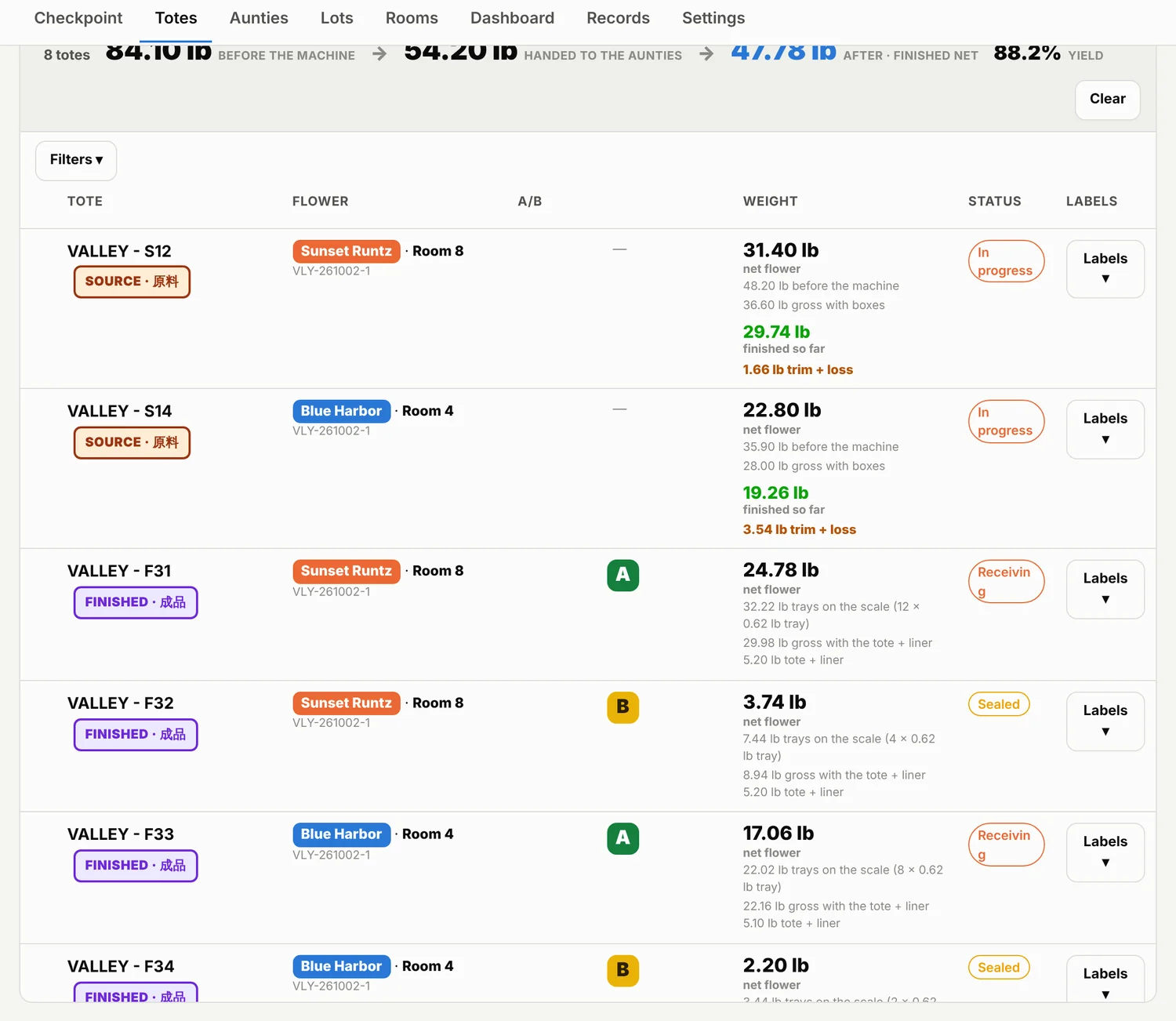
Every tote on one screen — source and finished, before and after, with the running yield across the top.
Traceability

A tote knows what is in it

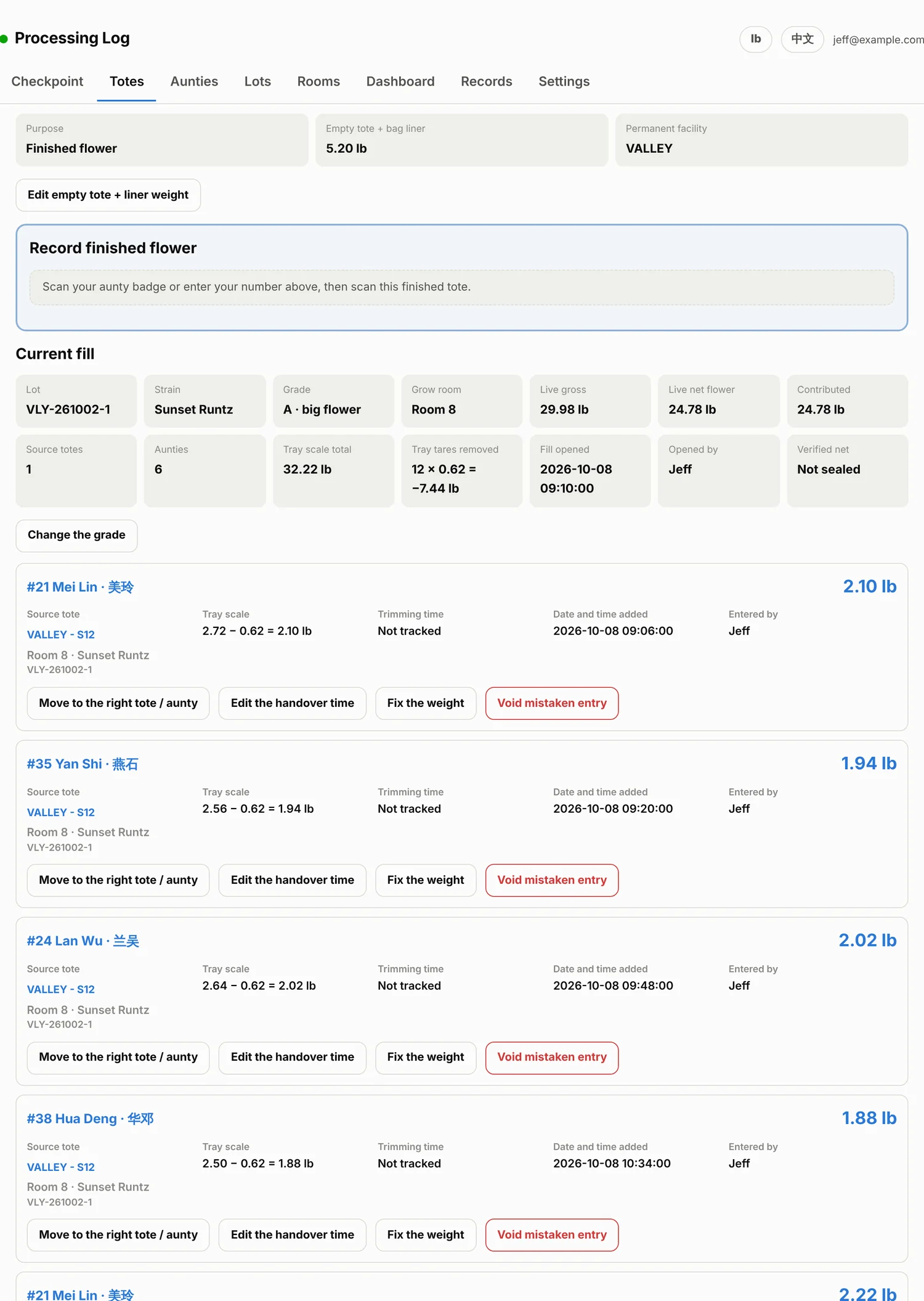
Source totes hold one room and one strain. Finished totes hold one lot, one strain and one grade. Scan either one and you get its whole history: what went in, who put it there, and what it weighs now.

Big flower and small flower stay separate the whole way through, in green and yellow. A tray that went into the wrong tote gets moved to the right one — not deleted, not re-typed, and the auntie keeps the credit.

A finished tote mid-fill: every tray, every auntie, and the scale reading each one came from.
Cost and payroll

What did this flower cost in labour?

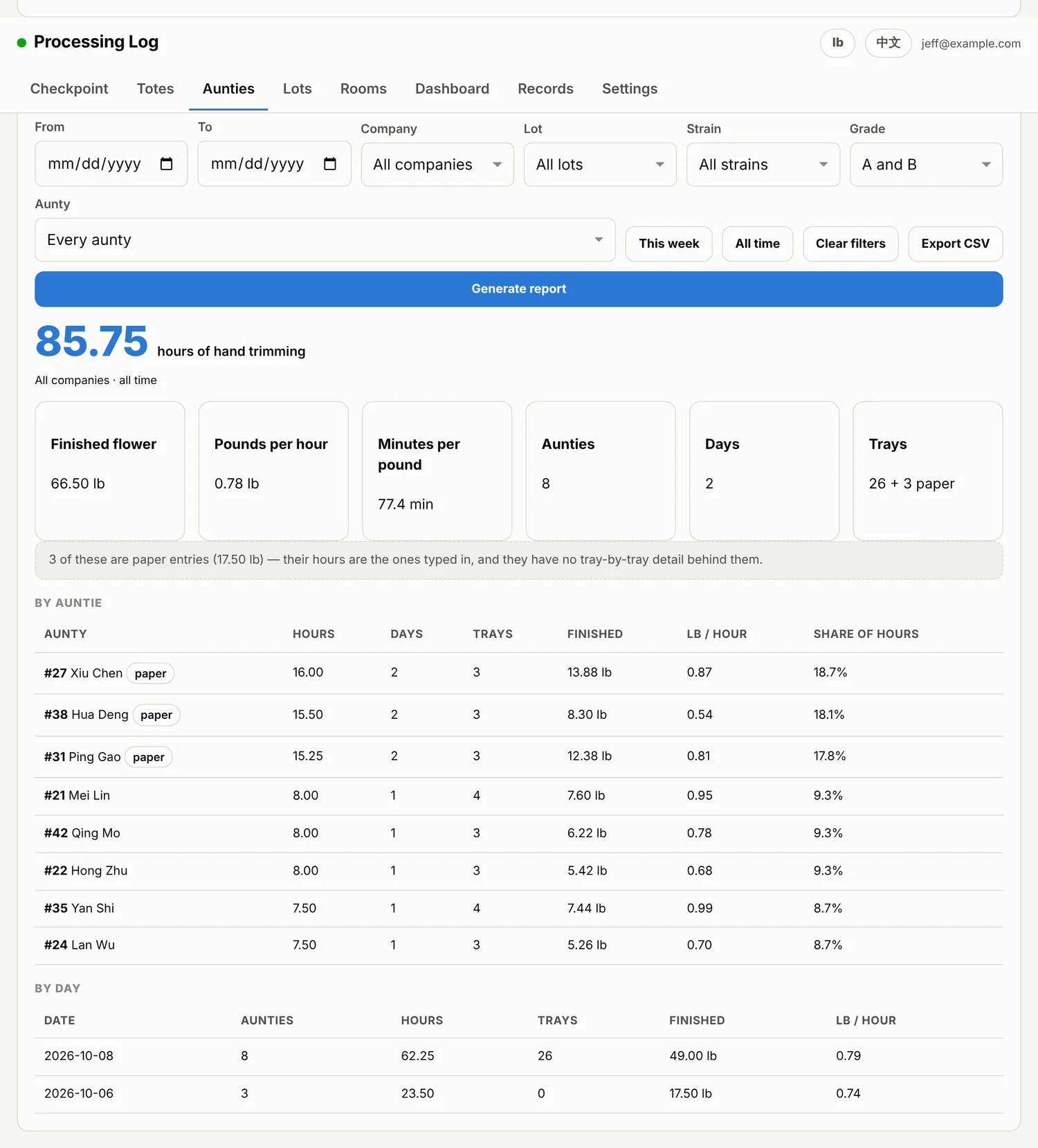
Shift times turn into trimming hours on their own. Then filter by company, lot, strain, grade or one person and the report tells you the hours, the pounds and the pounds per hour behind exactly that flower.

A day someone split between two clients is shared out by that day's pounds, and the report says so instead of hiding it. Export to CSV, or generate a printable sheet with the filters spelled out at the top — the version you hand to a client or to payroll.

Hours, pounds and lb per hour for any slice of the work, with the people ranked underneath.
Every day

Who worked, how long, how much

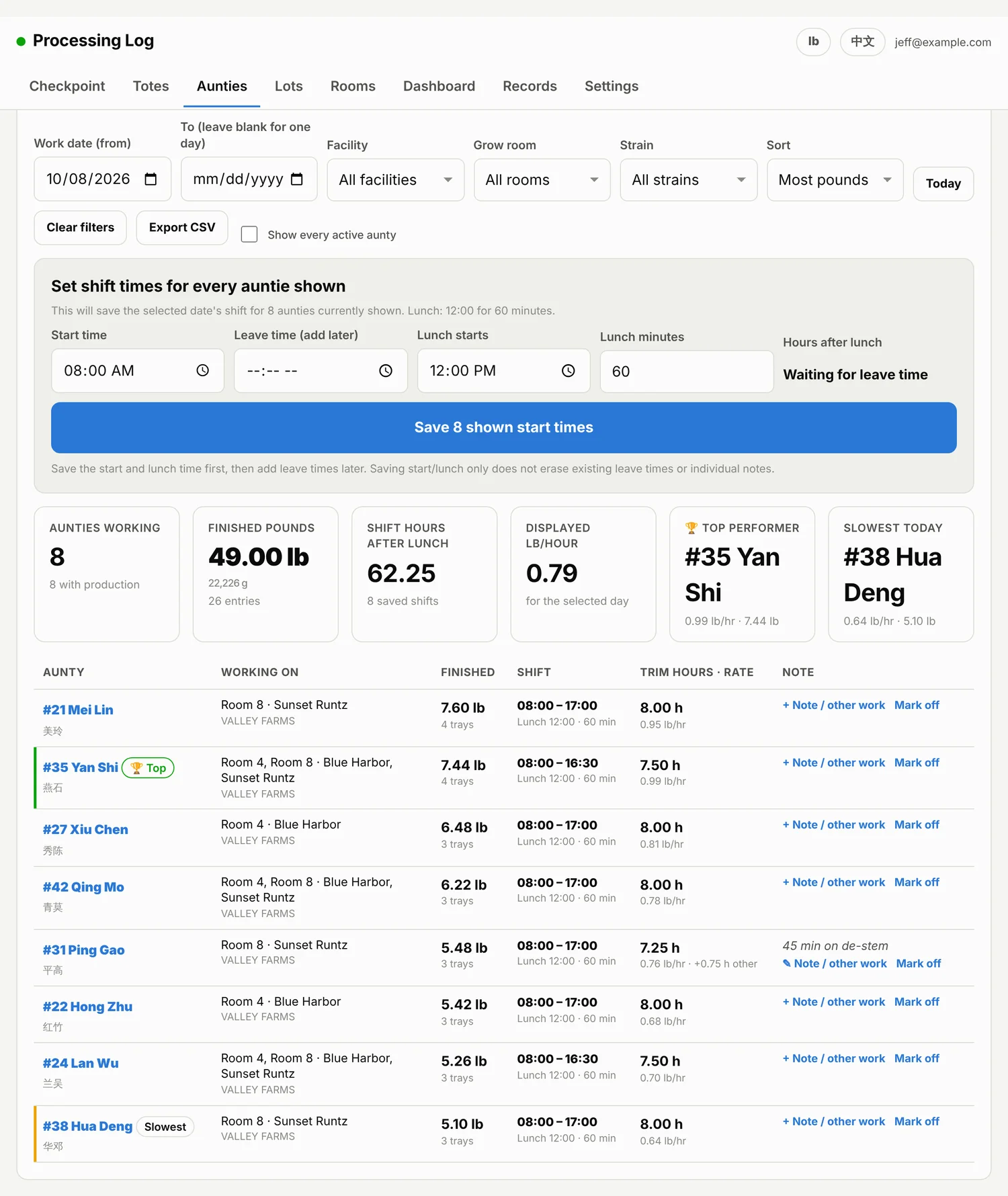
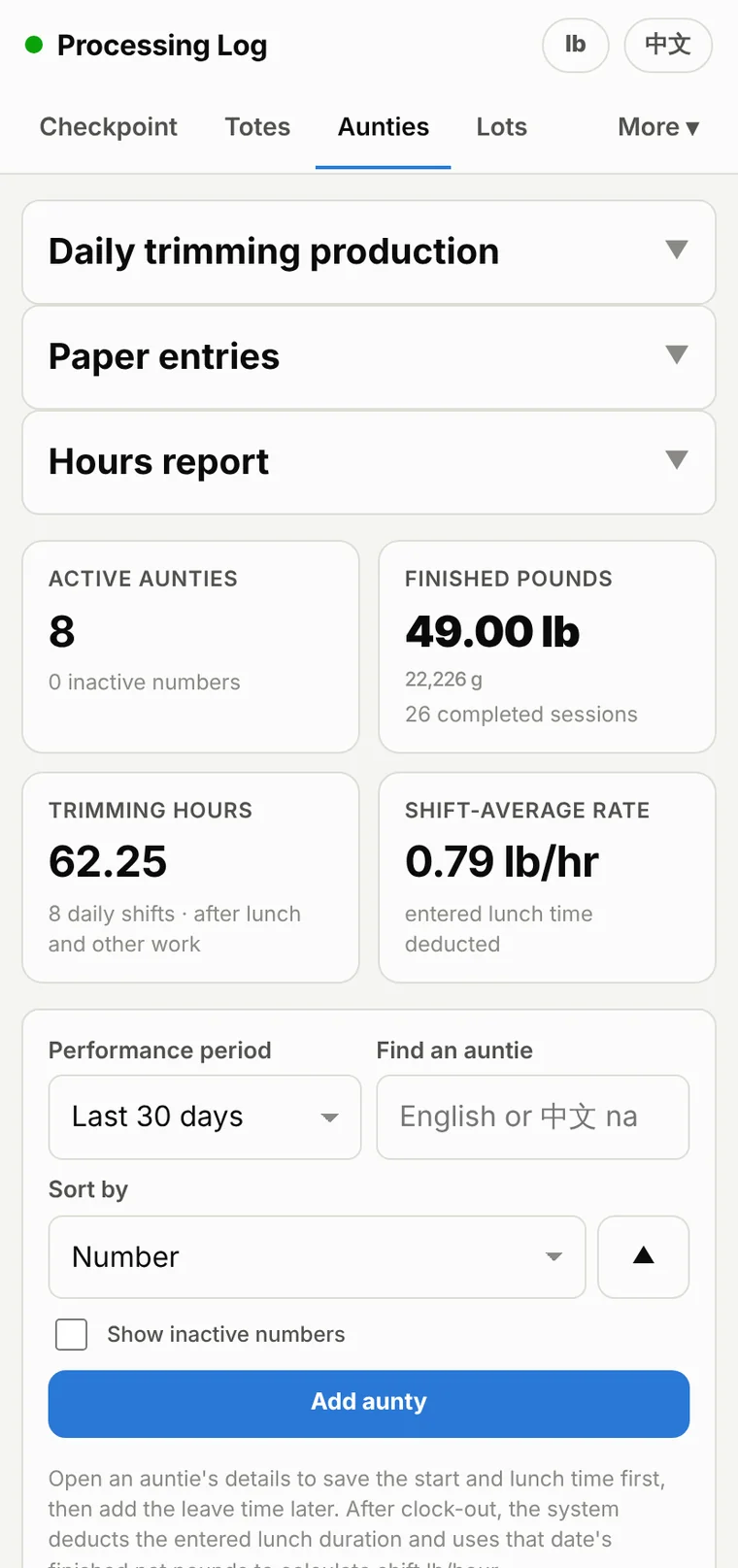
One screen for the day: who was in, their start, lunch and leave times, what each of them turned in, and their pounds per hour.

Set the whole crew's shift in one go, fix a time that was written on paper and typed in late, and mark the people who were out.

Daily trimming production — the shift and the output side by side.
The real world

Paper still works

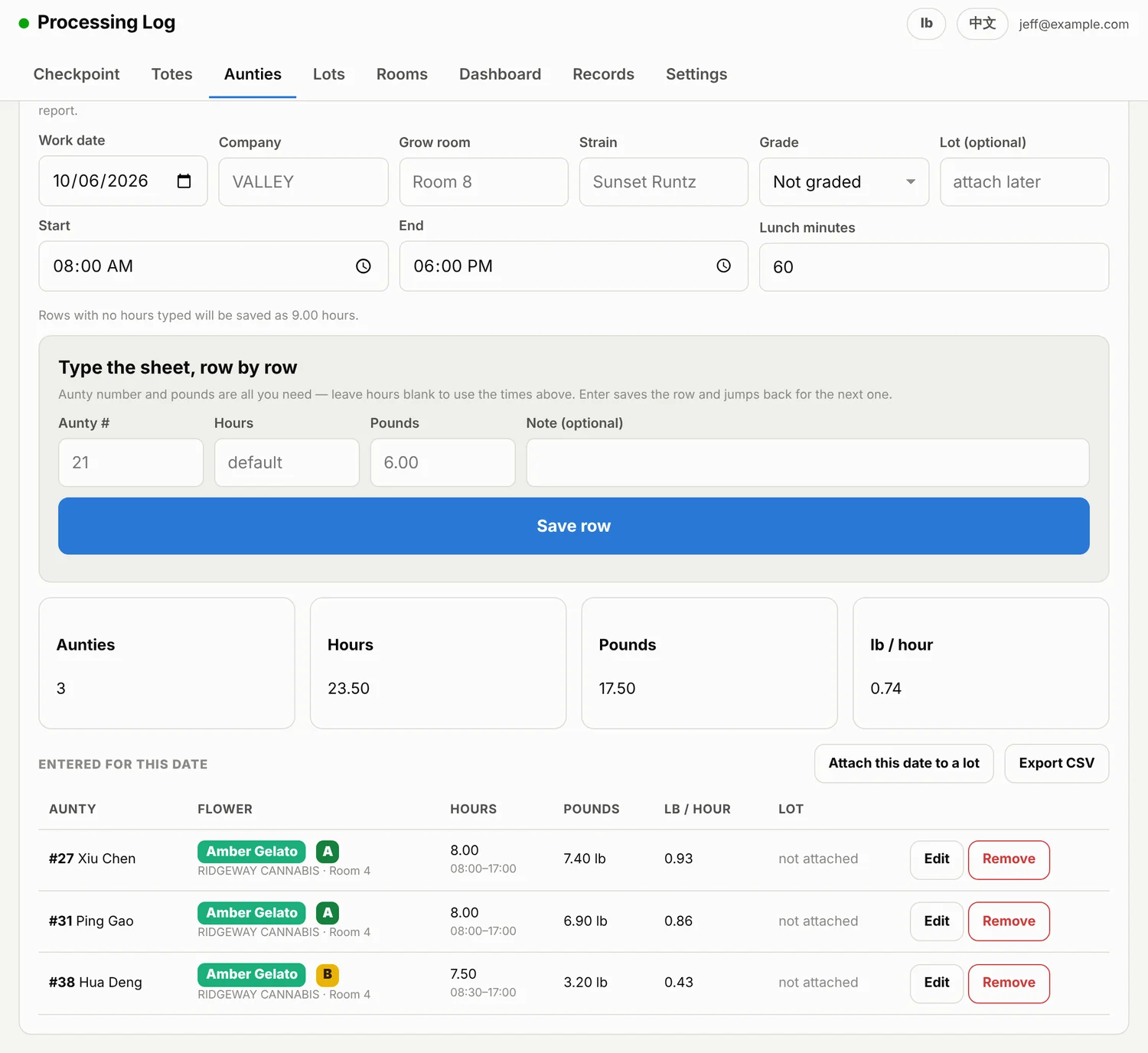
Not every supervisor is going to use an app, and that should not cost you the numbers. When one hands in a sheet, type it straight in: number, hours, pounds.

No trays, no totes and no lot required — a lot can be attached afterwards, once it exists. Those rows count in the reports next to everything that was scanned, and they are labelled so you always know which is which.

A paper sheet, typed in at the speed of reading it.
Before the trim

Drying and cure, logged properly

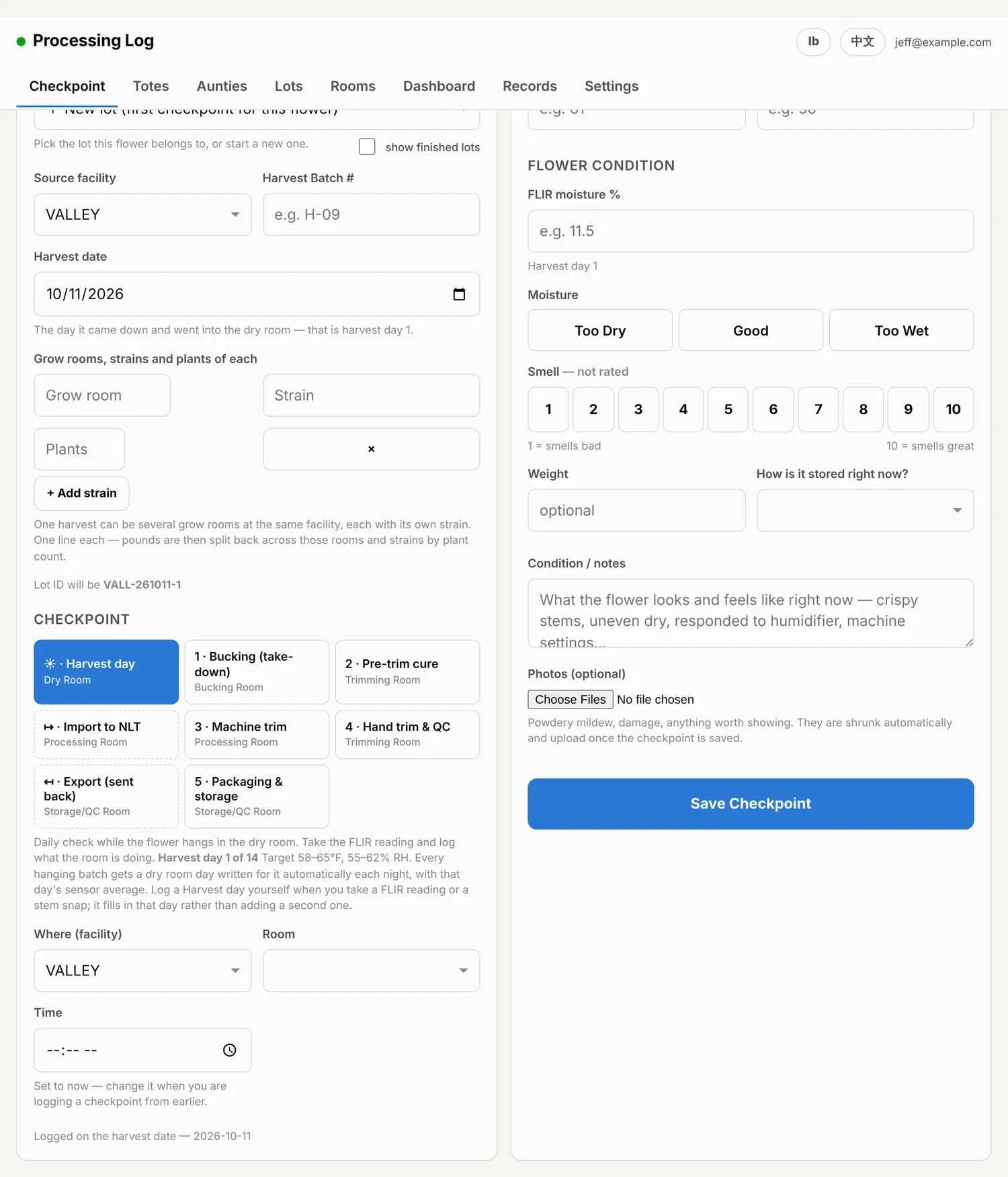
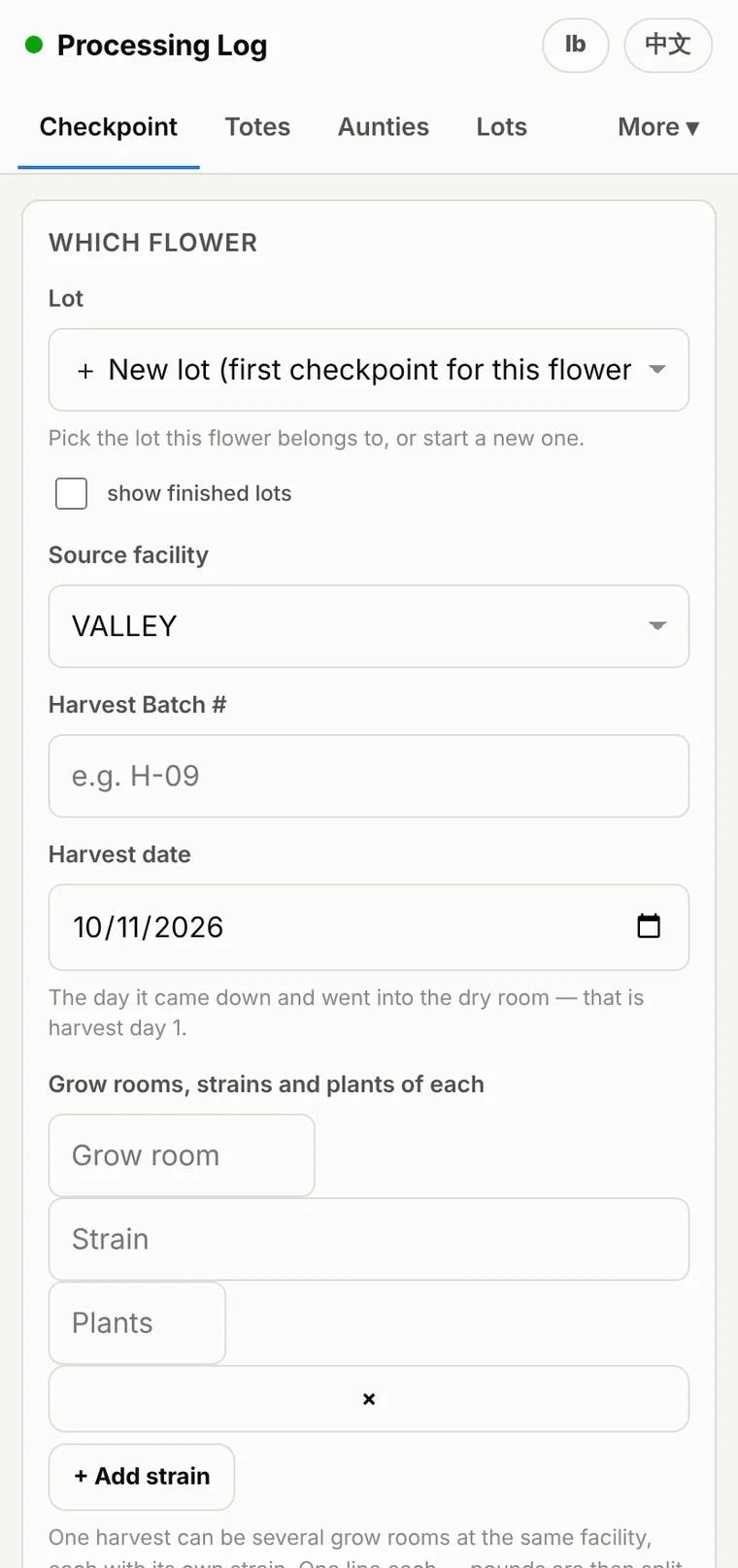
Smell, moisture, weight and notes at each stage, with photos attached to the checkpoint. Weights in pounds or grams — type either, the app shows both.

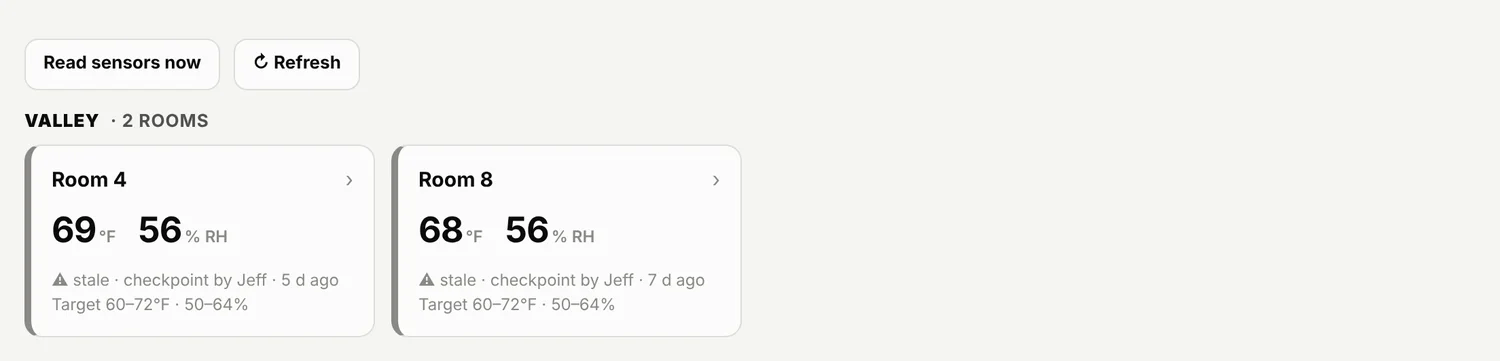
Rooms are watched against the target range you set for each one, and drying days are counted on their own, every day, without anyone having to remember.

A checkpoint takes under a minute, and it is the same form on a phone in the dry room.
The office view

The whole operation on one page

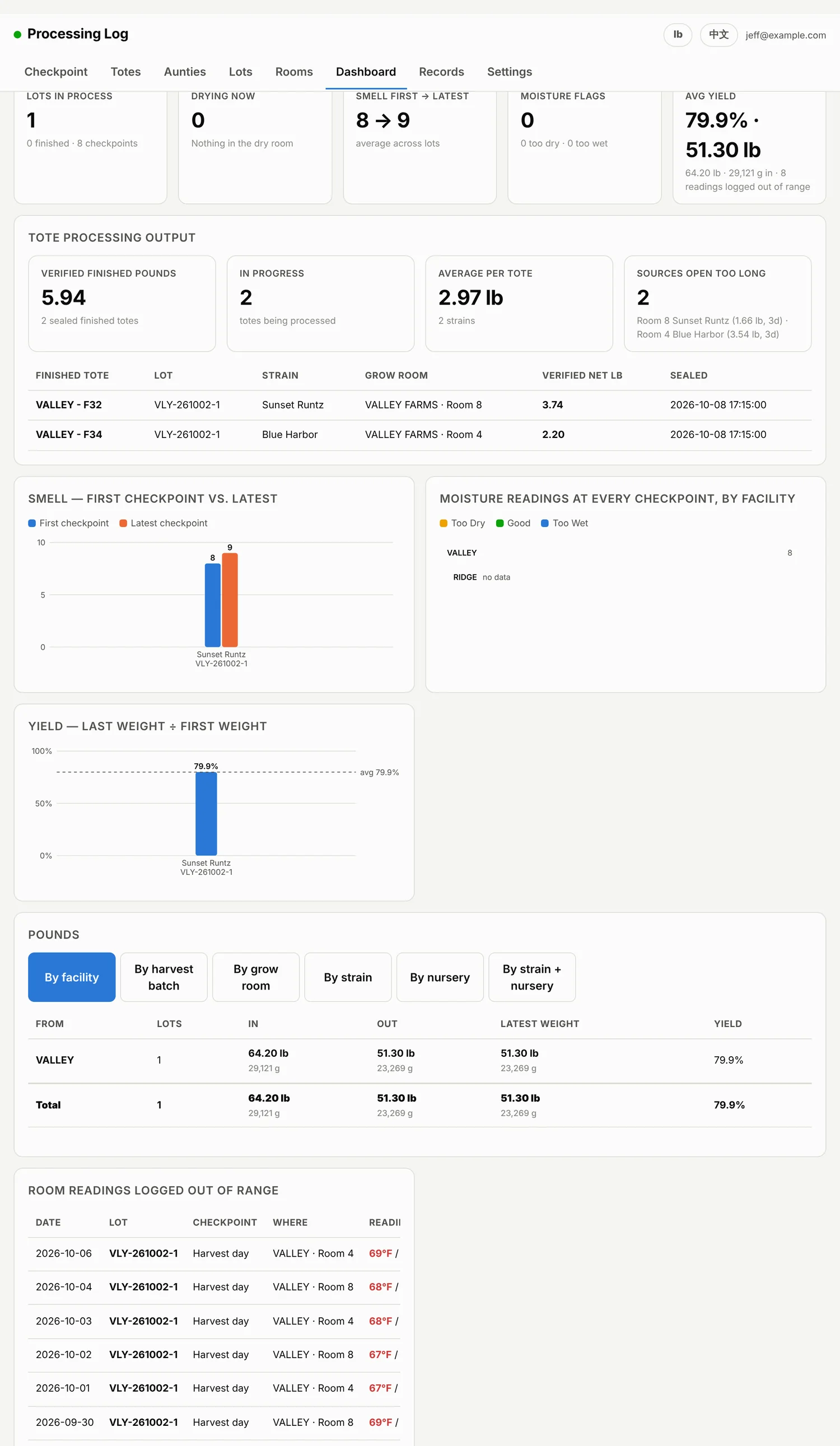
Lots in process, what is drying, smell trending from first checkpoint to latest, verified finished pounds, and the yield for every lot.

Pounds in and out by facility, harvest batch, grow room, strain or nursery — whichever way you need to look at it this week.

The dashboard: what came in, what came out, and what is still open.
In the room

It lives on the phone in their pocket

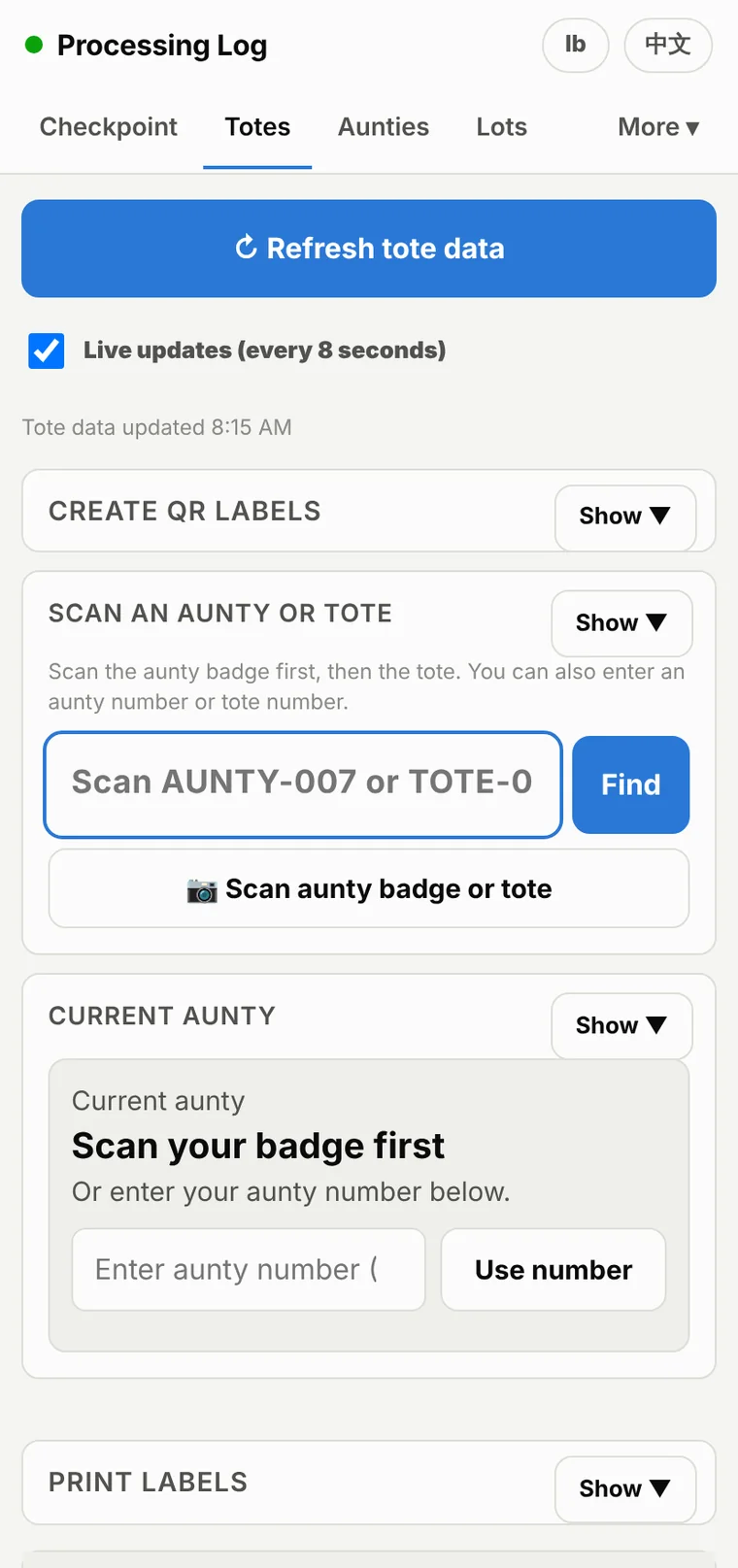
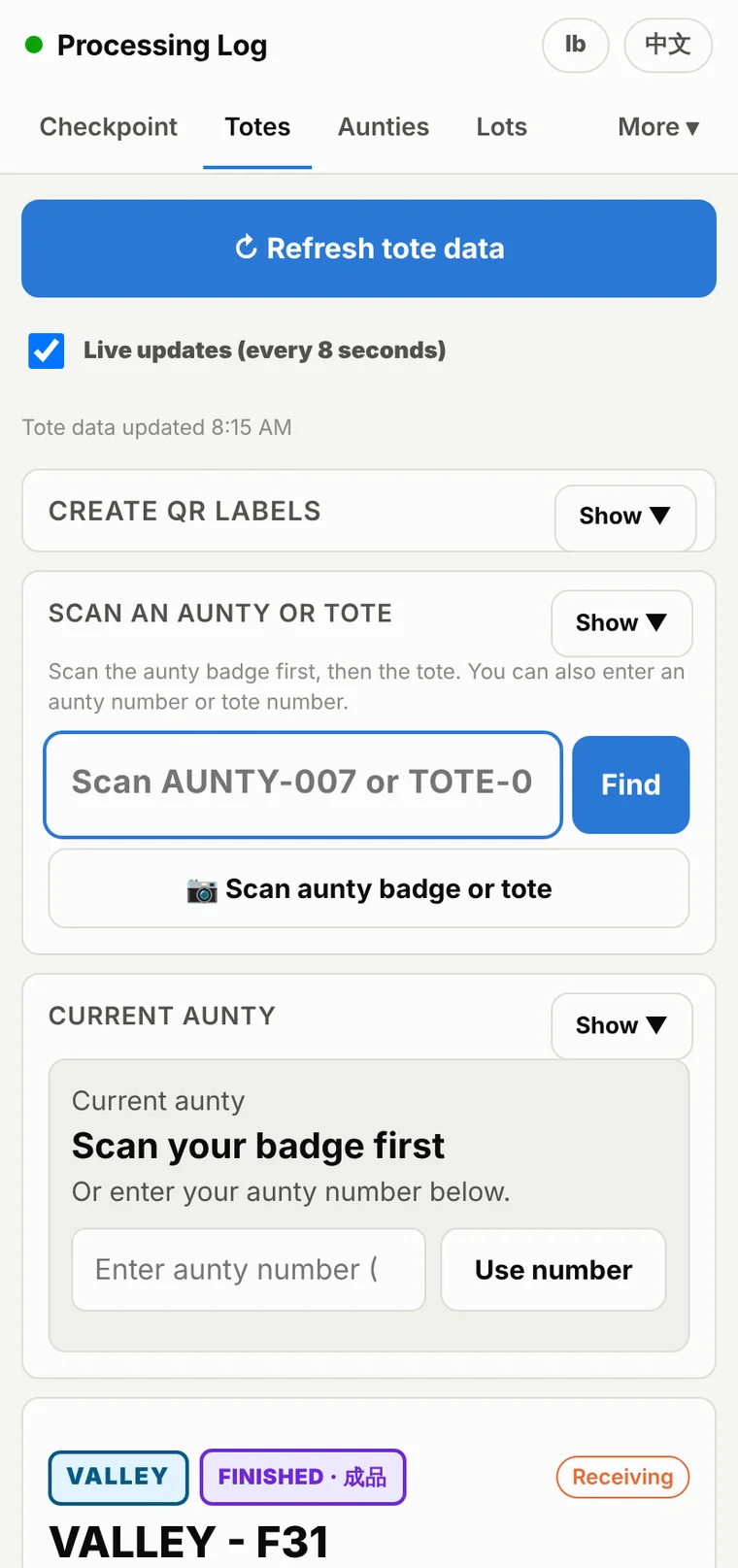
Every screen is built for a phone first, because that is what is in the room. Add it to the home screen and it opens full screen, like an app — nothing to install, nothing to buy.

Totes on a phone
Totes
A tote on a phone
A tote
Checkpoint on a phone
Checkpoint
Aunties on a phone
Aunties
And the rest of the app

Rooms, lots and the record of everything

Nothing is a dead end: every number on every screen traces back to the checkpoint, the tray or the scale reading it came from.

Rooms
Rooms — Every room against its own target range, live.
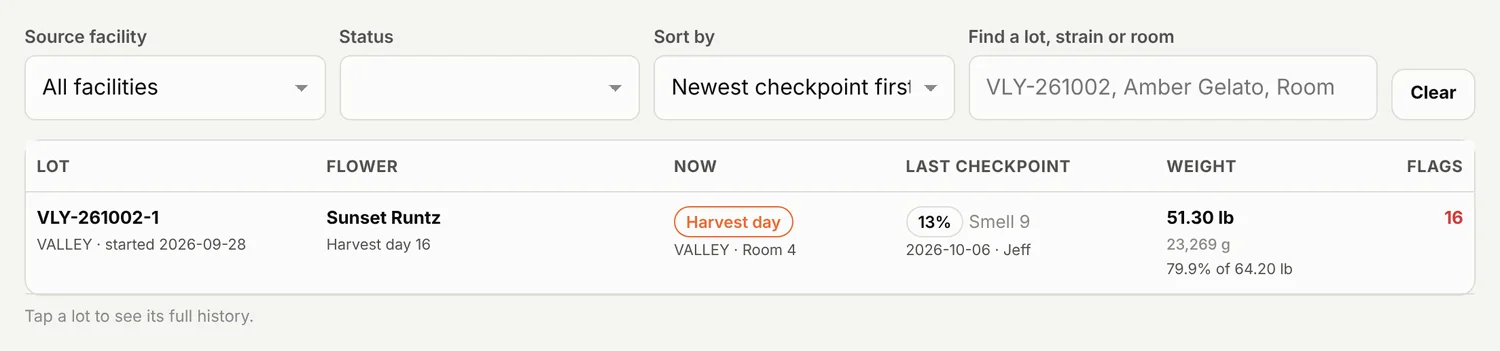
Lots
Lots — Every lot, open or finished, searchable.
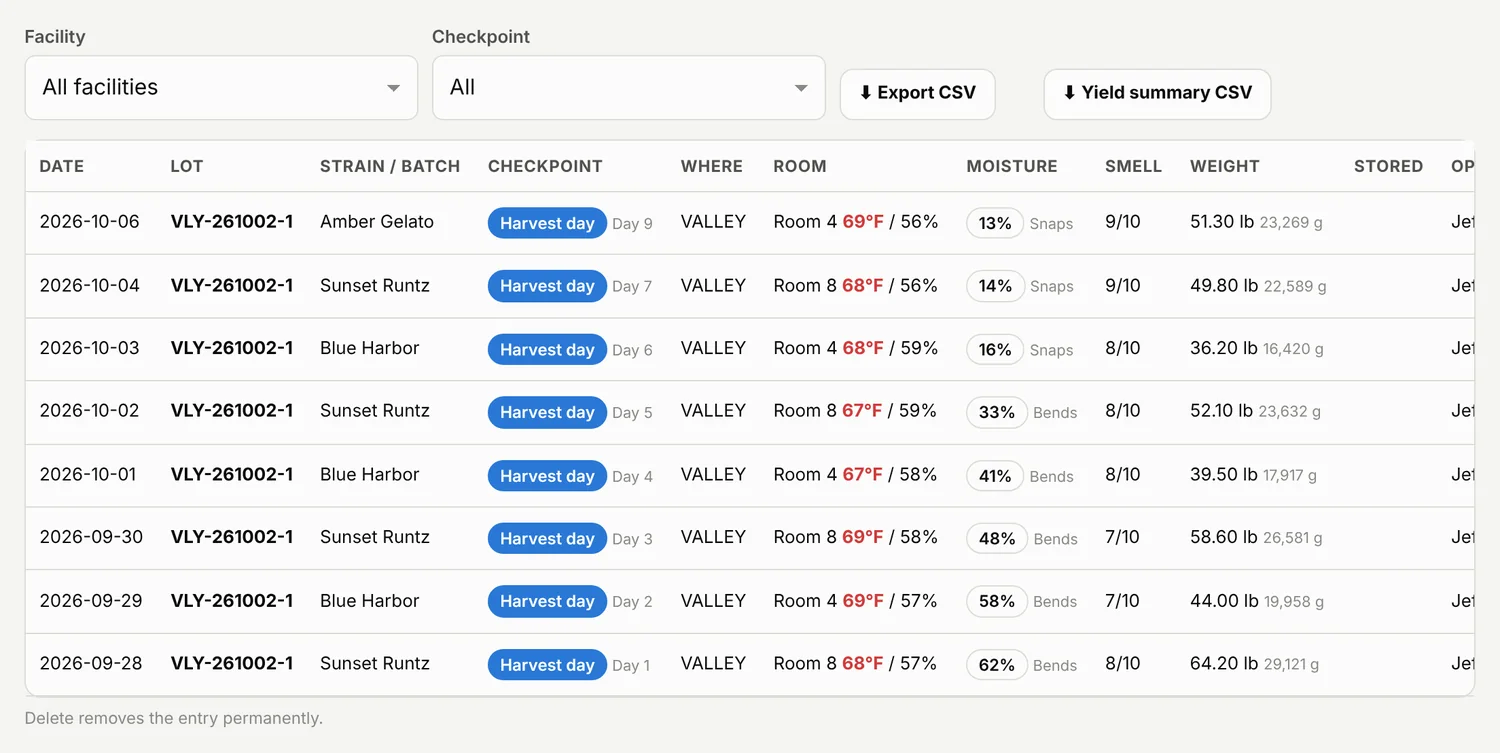
Records
Records — Every checkpoint ever logged, filterable and exportable.
One app, four doors

People only see their own job

Each job gets its own link, opening straight to the work — no training needed, and no way to wander into someone else's numbers.

Trimming crewThe weigh station and the totes. What the supervisor at the scale needs, and nothing else.
Room monitorsTemperature, humidity and the target range for each room. No weights, no people, no pounds.
Harvest supervisorsThe harvest checkpoint on its own, for the crew working the room that day.
ManagementAll of it — lots, totes, people, hours, reports, yields and the full activity log.
The rest of it

The things you find out in month two

Nothing to install

It runs in the browser on the phone that is already in the room. Add it to the home screen and it opens full screen, like an app.

English and 中文

The whole app in both, switched from any screen. A person can be set to open in Chinese every time they sign in.

Everyone in their own lane

Separate links per job, per-person control over which tabs they see, and whether they see pound figures at all.

Nothing quietly changes

Every correction is written to an activity log — what changed, when, and who did it. Weights are corrected, never silently overwritten.

Several facilities

Each one keeps its own flower, people and numbers separate, while the office sees all of it in one place.

Labels at the bench

2×1 thermal labels for tote tare, client totes and scannable tote QRs, printed at exactly the right size.

Want to see it on your own numbers?

Send a note and we will walk through it together — your rooms, your strains, your crew.

Ask for a walkthrough